
1. Record the collection before sorting it
Give the purchase a lot name or number, record the amount paid, and note where the cards are physically stored. Keep receipts or acquisition notes with that lot. This gives every later listing a source and makes it possible to measure the purchase as a whole.
Choose a sorting unit that is useful at listing time: game, set, condition tier, or a box you can finish in one session. Avoid assigning a precise condition from a distant photo. Set aside cards with uncertain print, language, finish, or damage for closer review.
Example: a 240-card purchase
Start with four labeled trays: recognizable singles, cards needing identification, lower-value multiples, and damaged cards. Process one tray into a listing batch. Record its storage bin before you move on to the next tray.
2. Make photos and IDs easy to match
Use the same lighting and background for each card. Photograph the front and back when condition matters, then keep both images together under one item identifier. A simple temporary number on the tray or sleeve prevents a good photo from becoming an untraceable file later.
Capture the details buyers use to distinguish prints: set symbol, collector number, language, finish, edition, and visible wear. Check any uncertain detail against the physical card before publishing. A wrong variation is harder to fix after a sale than during review.
3. Prepare listings in manageable batches
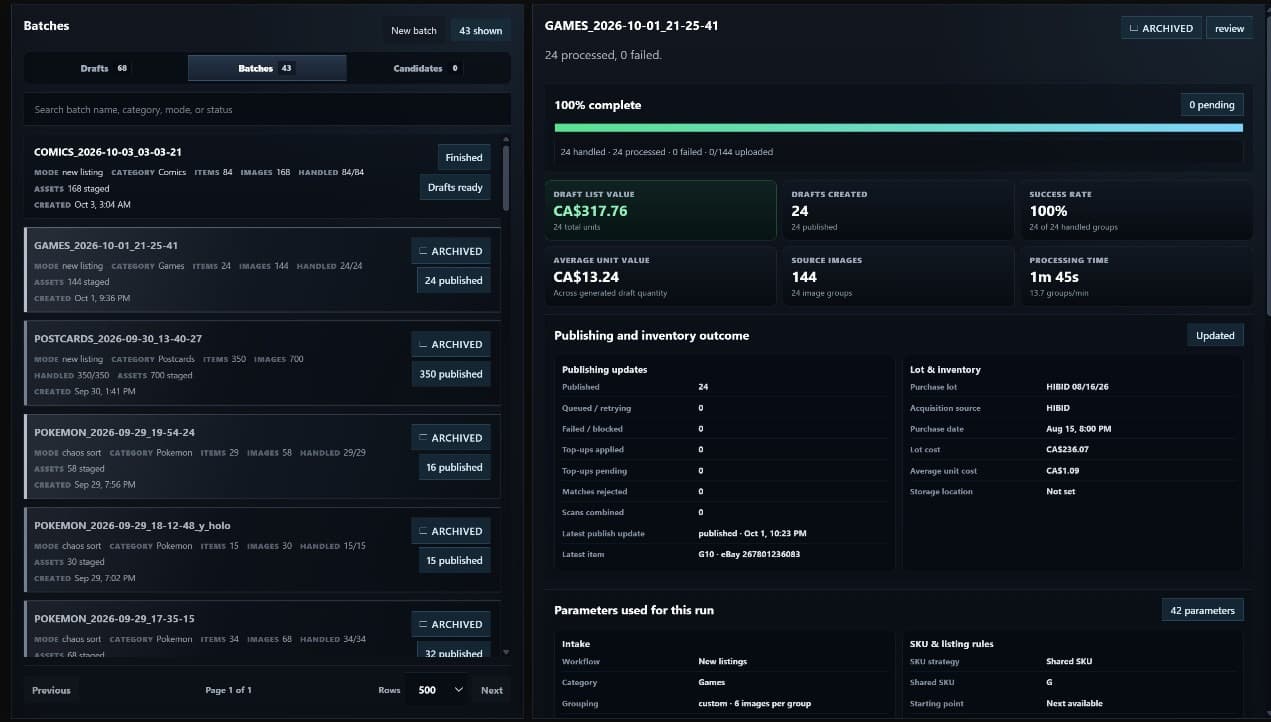
Upload one coherent batch, then review each proposed title, category, item specifics, condition, and price. AI-assisted drafts can save typing, but the seller should confirm identity and condition. For a collection with repeats, decide whether quantity belongs on one listing or whether condition differences require separate listings.
Use a consistent SKU pattern and storage location. A SKU should help you find the exact card when it sells; it should not depend on a title that may change. Lots of Lots supports batch intake and a review queue, with listing and inventory tools for the later workflow.
4. Check price and profit before publishing
Compare the proposed price with relevant sold items, considering condition, print, and language. Then estimate the fee, postage, packaging, and your share of the lot cost. A card that looks profitable at its sale price can lose money once those costs are included. The free eBay profit calculator lets you test an estimate before listing.
After publishing, keep the SKU and lot link intact as the card moves to active stock and eventually to a sold record. That connection lets you see whether the whole collection has paid back its purchase price. See the guide to tracking cost basis across lots for a simple allocation method.
Common questions
Should every card get its own listing?
No. Decide based on condition, demand, and the effort of fulfilling the sale. Separate listings make sense when the cards or their conditions differ materially; consistent copies may be easier to manage with quantity on one listing.
Can I trust an automatically generated card title?
Treat it as a draft. Check the set, number, finish, language, and condition against the card before publishing, especially for prints with similar art.